
10 Smart Tech Tips to Make Your Digital Life Easier and Safer
Technology is now part of our daily life. From smartphones to laptops and the internet, we depend on digital devices for almost everything.
But most people don’t know how to use technology in the smartest way.
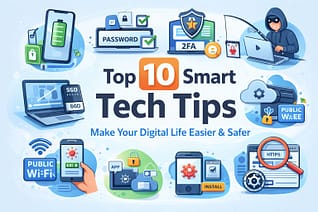
In this article, we are sharing 10 practical and useful tech tips that will help you work faster, stay secure online, and keep your devices in good condition.
These tips are simple, effective, and useful for students, professionals, and everyday users.
1. Improve Smartphone Battery Life
One of the most common problems for smartphone users is poor battery backup. Many people charge their phones several times a day, which slowly damages battery health.
To increase battery life:
- Turn off Bluetooth and GPS when not needed
- Reduce screen brightness
- Close background apps
- Use dark mode whenever possible
- Avoid charging overnight
Following these small habits can easily improve your phone battery performance and make it last longer.
2. Keep Your Laptop Fast and Smooth
A slow laptop can reduce productivity and waste valuable time. Over time, unnecessary files and programs make computers slower.
Here are some easy ways to speed up your laptop:
- Uninstall software you no longer use
- Clear temporary files regularly
- Disable startup programs
- Upgrade to SSD if possible
- Keep your operating system updated
These steps can bring new life to an old or slow computer without spending much money.
3. Use Strong and Unique Passwords
Weak passwords are the main reason behind hacked accounts. Many people still use simple passwords like “123456” or “password”.
A strong password should contain:
- Uppercase and lowercase letters
- Numbers
- Special characters
- At least 10–12 characters
Never use the same password for multiple accounts. Consider using a password manager to keep everything secure.
4. Enable Two-Factor Authentication
Even with a strong password, your account can still be at risk. That is why Two-Factor Authentication (2FA) is very important.
Always enable 2FA for:
- Gmail and email accounts
- Facebook and social media
- Online banking
- Shopping websites
This extra security layer can prevent hackers from accessing your personal information.
5. Back Up Important Data Regularly
Many people lose important photos, documents, and files because they never create backups.
Good backup habits include:
- Saving files to Google Drive or OneDrive
- Using an external hard drive
- Backing up phone photos automatically
- Keeping copies of important documents
Regular backups ensure that you never lose valuable data even if your device gets damaged.
6. Stay Safe on Public WiFi
Free WiFi in cafes, airports, or shopping malls can be risky. Hackers often target users on public networks.
To stay safe:
- Avoid logging into banking apps
- Do not enter passwords on unknown networks
- Use a VPN whenever possible
- Turn off file sharing
Being careful on public WiFi can protect you from online fraud and identity theft.
7. Install Apps Carefully
Not every mobile app is safe. Some apps contain malware or collect unnecessary personal data.
Before installing any app:
- Check user reviews
- See the developer name
- Look at required permissions
- Download only from official stores
Taking a few seconds to check details can save your phone from serious security issues.
8. Keep Your Web Browser Clean
A slow browser makes internet usage frustrating. Too many extensions and cache files are often the reason.
To improve browser performance:
- Remove unused extensions
- Clear cache and cookies
- Update your browser regularly
- Avoid opening too many tabs
These simple steps can make browsing faster and smoother.
9. Identify Fake Links and Scams
Online scams are increasing every day. Fake emails and links are commonly used to steal personal information.
Always remember:
- Do not click on suspicious links
- Check website URLs carefully
- Avoid offers that sound too good
- Never share OTP with anyone
Being alert online is one of the best ways to stay safe in the digital world.
10. Update Software and Apps Regularly
Using outdated software is risky. Old versions often contain security weaknesses.
Make sure to update:
- Your phone operating system
- Windows or Mac OS
- Mobile apps
- Antivirus software
Regular updates fix bugs, improve speed, and keep your devices secure.
Final Thoughts
Technology becomes truly helpful only when we know how to use it properly.
The tips shared above are simple but very effective for everyday users.
By following these habits, you can:
- Keep your devices secure
- Work faster and smarter
- Protect personal data
- Avoid common tech problems
Start applying these tech tips today and enjoy a safer, smoother digital life.
If you want more useful technology guides and tips, stay connected with our blog for regular updates.
10 Smart Tech Tips for Enhanced Digital Efficiency
Incorporating these 10 smart tech tips will enhance your digital literacy.
Explore these 10 smart tech tips for a more efficient workflow.
These 10 smart tech tips will keep your devices running smoothly.
Remember, these 10 smart tech tips can be a game changer for your online safety.
By applying these 10 smart tech tips, you’ll enhance your overall digital experience.
These 10 smart tech tips are designed to help you navigate the digital landscape.
For those seeking improvement, the 10 smart tech tips provided will guide you.
These practices are part of the 10 smart tech tips you should adopt.
Implementing these 10 smart tech tips ensures a secure digital environment.
These 10 smart tech tips can significantly improve your online safety and efficiency.
To enhance your knowledge, here are 10 smart tech tips that will transform your digital experience.